
User experience (UX) and user interface (UI) design are absolutely critical for any digital product’s success. Simply put, good UI/UX makes a product easy, enjoyable, and effective to use, which directly translates to user satisfaction, retention, and ultimately, your goals. Think of it this way: a well-designed product feels intuitive, almost like it anticipates your needs. A poorly designed one, however, can be frustrating, confusing, and quickly abandoned. It’s not just about aesthetics; it’s about functionality, usability, and the overall feeling a user gets when interacting with your product.
Before we dive into how to enhance things, let’s briefly clarify what UI and UX actually are, as they’re often used interchangeably but have distinct meanings.
What is User Experience (UX)?
UX design is all about the overall feeling a user has when interacting with your product. It encompasses every single touchpoint and interaction a user has with your company, product, or service. It’s about designing the entire journey.
- Usability: Is it easy to learn and use? Can users accomplish their tasks efficiently?
- Accessibility: Can people with disabilities use it? (Think screen readers, keyboard navigation.)
- Findability: Can users easily find what they’re looking for? Is the navigation logical?
- Utility: Does it actually solve a user’s problem or fulfill a need?
- Credibility: Does the product feel trustworthy and reliable?
- Desirability: Is it visually appealing and emotionally engaging? Does it make users want to use it?
What is User Interface (UI)?
UI design, on the other hand, is generally a component of UX. It focuses specifically on the visual and interactive elements of a product. It’s the graphical layout – the buttons, text fields, images, sliders, and all the micro-interactions that make up the visual display.
- Visual Design: Color palettes, typography, iconography, imagery, branding.
- Interaction Design: How users interact with the product (e.g., swiping, clicking, scrolling), animations, transitions.
- Information Architecture: How content is structured and organized on individual screens.
- Responsiveness: How the interface adapts to different screen sizes and devices.
Think of it like this: UX is the blueprint of a house, ensuring it’s functional and meets the needs of its inhabitants. UI is the interior design – the paint colors, furniture, and decor that make it aesthetically pleasing and easy to navigate. Both are essential, but UX comes first.
For those interested in exploring more about UI/UX design, a related article that delves into the principles of effective user interface design can be found at this link. It provides valuable insights into creating user-friendly interfaces that enhance user experience, making it a great resource for both beginners and seasoned designers alike.
The Pillars of Great UX Design
To truly enhance the user experience, we need to focus on several key pillars that underpin all good design practices.
Empathy: Understanding Your Users
This is arguably the most crucial pillar. Without understanding who your users are, what their needs and pain points are, and how they interact with similar products, you’re designing in the dark.
- User Research: This involves techniques like interviews, surveys, usability testing, and analyzing analytics data. It’s about gathering direct feedback and observing user behavior.
- Persona Creation: Developing detailed profiles of your typical users helps you remember who you’re designing for and keeps their needs at the forefront.
- User Journey Mapping: Visualizing the entire process a user goes through to achieve a goal highlights pain points and opportunities for improvement at each step.
Clarity: Making Interactions Effortless
Users shouldn’t have to think hard when using your product. Every element, every interaction, should be intuitive and self-explanatory.
- Intuitive Navigation: Clear, consistent, and predictable navigation pathways. Users should always know where they are, where they’ve been, and how to get where they want to go.
- Clear Labeling: Use plain language. Buttons and links should clearly state their function. Avoid jargon or ambiguous terms.
- Consistent Design Patterns: Reusing familiar patterns (e.g., a magnifying glass icon for search, a shopping cart icon for e-commerce) reduces cognitive load.
- Direct Feedback: Users need to know if their actions were successful. Is a button clicked? Is a form field validated? Provide immediate visual or textual feedback.
In the ever-evolving field of UI/UX design, understanding the importance of managed IT services can significantly enhance the user experience. A recent article discusses how integrating robust IT solutions can streamline design processes and improve overall efficiency. For more insights on this topic, you can read the article on managed IT services which highlights the benefits of leveraging technology to create more user-friendly interfaces. This connection between IT management and design is crucial for professionals aiming to stay ahead in the competitive landscape of digital products.
Efficiency: Saving Time and Effort
No one wants to jump through hoops. A good UX design streamlines tasks and minimizes the steps required to achieve a goal.
- Minimizing Steps: Can a process be completed in fewer clicks? Can default options be sensible to save user input?
- Smart Defaults: Pre-filling forms with common choices or historical data can significantly speed things up.
- Micro-interactions that Matter: Small animations or sounds can subtly guide users, confirm actions, and make the experience feel more polished and responsive.
- Error Prevention and Recovery: Design to prevent common errors in the first place, and if they do occur, provide clear, actionable instructions for recovery.
Implementing Effective UI Design Principles
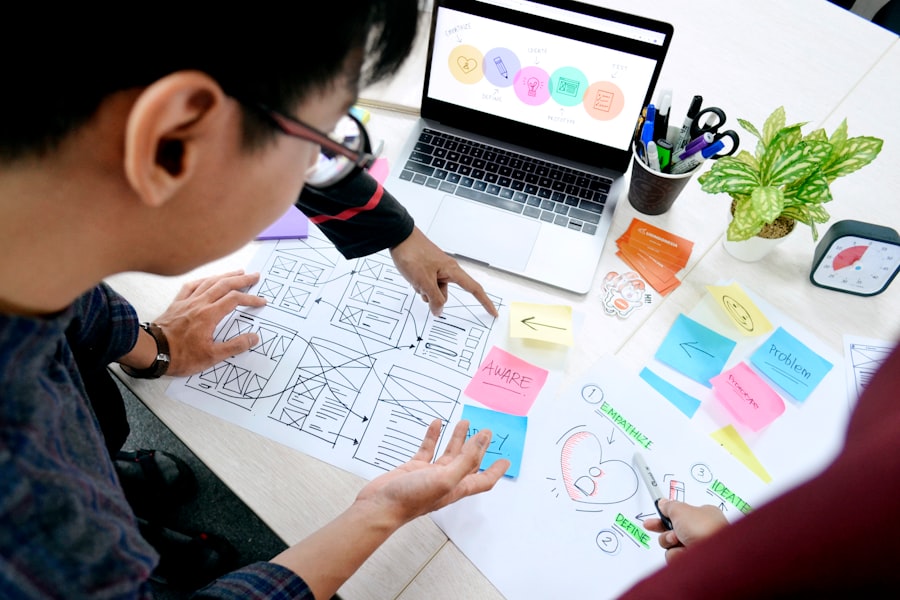
While UX lays the groundwork, UI is what brings the experience to life visually and interactively. Good UI actively supports and enhances the UX goals.
Visual Hierarchy: Guiding the Eye
Visual hierarchy uses design elements to guide the user’s attention to the most important information first.
- Size and Scale: Larger elements naturally draw more attention. Use this to emphasize critical information or calls to action.
- Color and Contrast: Strategic use of color can highlight elements, separate sections, and indicate interactivity. Contrast is crucial for readability, especially for text.
- Typography: The choice of fonts, their size, weight, and line spacing significantly impact readability and the overall tone of your product.
- Whitespace (Negative Space): Don’t be afraid of empty space! It improves readability, reduces cognitive load, and makes your design feel cleaner and more professional.
Consistency: Building Familiarity
Consistency isn’t just about making things look good; it’s about making them predictable and easy to learn.
- Brand Guidelines: Adhering to a consistent brand style guide (colors, fonts, logos) reinforces your brand identity.
- Component Libraries: Using a consistent set of UI components (buttons, input fields, navigation menus) across your product ensures a predictable experience.
- Interaction Patterns: If a certain type of interaction (e.g., swiping left for an action) is introduced, ensure it behaves similarly throughout the application.
- Platform Conventions: Follow standard conventions for the platform you’re designing for (iOS, Android, Web). Users expect apps on their iPhone to behave like other iPhone apps.
Responsiveness and Accessibility: Designing for Everyone
Your product won’t be used on just one device or by one type of person. It needs to be flexible and inclusive.
- Responsive Design: Your interface must adapt gracefully to various screen sizes, from a small smartphone to a large desktop monitor. This isn’t just about shrinking things; it’s about optimizing the layout for each context.
- Performance Optimization: A slow-loading or laggy interface creates a frustrating experience. Optimize images, code, and server responses to ensure smooth performance.
- Accessibility Standards (WCAG): Designing for accessibility means ensuring your product can be used by people with disabilities. This includes things like:
- Keyboard Navigation: Can the entire product be used without a mouse?
- Screen Reader Compatibility: Are elements properly labeled for screen readers?
- Color Contrast: Sufficient contrast between text and background for users with visual impairments.
- Alternative Text for Images: Providing descriptive text for images for screen reader users.
The Iterative Nature of UI/UX Design
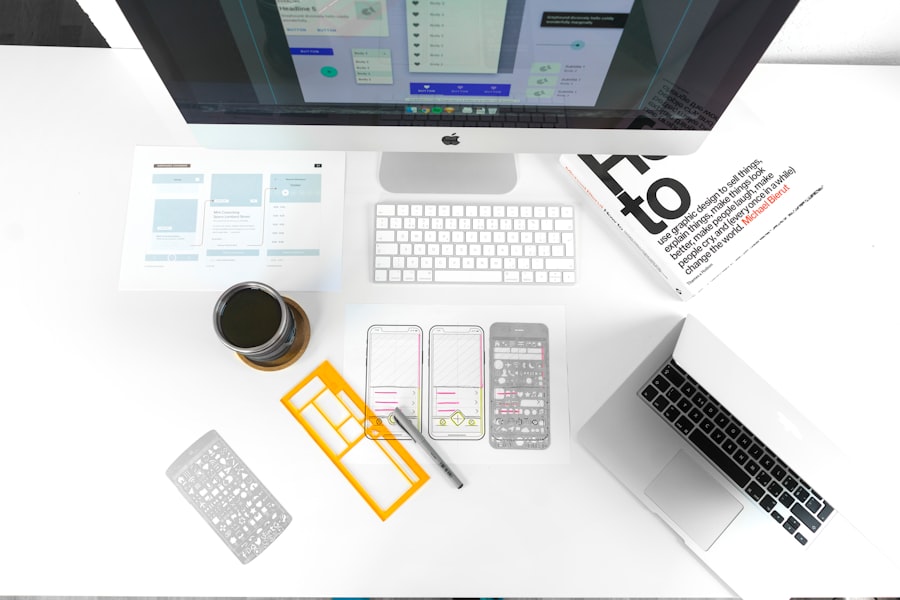
Good design isn’t a one-and-done process. It’s an ongoing, iterative cycle of discovery, design, testing, and refinement.
Testing and Feedback: The Improvement Loop
You can make educated guesses, but you won’t truly know if your design works until real users try it.
- Usability Testing: Observing users as they attempt to complete tasks with your product reveals invaluable insights into pain points and areas for improvement.
- A/B Testing: Presenting two different versions of a design element (e.g., a button color, a headline) to different user segments to see which performs better.
- Analytics and Metrics: Tracking user behavior data (e.g., click-through rates, time on page, conversion funnels) provides quantitative insights into how users are interacting with your product.
- Heatmaps and Session Recordings: Visualizing where users click, scroll, and spend their time can reveal usability issues that might otherwise go unnoticed.
Continuous Improvement: Evolving with Users
Markets change, technology evolves, and user expectations shift. Your product’s UI/UX needs to evolve too.
- Regular Updates: Based on user feedback and technological advancements, plan for regular updates and improvements to your product’s design.
- Monitoring Trends: Stay informed about new design patterns, technologies, and user behaviors to ensure your product remains competitive and relevant.
- Gathering Customer Service Feedback: Your support team often has a direct line to user frustrations and questions – leverage their insights.
- Embracing New Technologies: Consider how new technologies (e.g., voice interfaces, augmented reality) might enhance or change the way users interact with your product in the future.
By prioritizing empathy, striving for clarity, enhancing efficiency, and continually refining your designs based on real user feedback, you can build digital products that not only look great but also provide a truly outstanding and valuable experience for everyone who uses them. It’s about creating something that people enjoy using, not just tolerate.