
So, you’re building a website, or maybe sprucing up an existing one, and wondering what actually makes it work? It’s a fair question. The short answer is: a website that’s easy to use, builds trust, and clearly helps visitors achieve what they came for. That might sound simple, but getting it right involves a few key things. Think of it like this: you wouldn’t walk into a messy, confusing shop and expect to find great products or have a good experience, right? Your website is your digital shopfront, and a bit of thoughtful design goes a long way.
This isn’t about chasing the latest, fleeting design trend. Good website design is about solid principles that help you connect with your audience and achieve your goals, whether that’s selling something, generating leads, or just sharing information. Let’s dive into five essential tips that will give you a really solid foundation for success.
This is the absolute bedrock of any successful website. If you don’t genuinely understand who you’re trying to reach, everything else you do will be a shot in the dark. Imagine trying to sell a high-end art book to someone who’s only ever bought comics. It’s just not going to land.
Understanding Their Needs and Pain Points
What problems are your visitors trying to solve? What information are they desperately searching for? Every user visit is on your site with a purpose, and your job is to figure out what that purpose is and make it as easy as possible for them to accomplish it.
- What’s the core problem your product or service solves? Don’t just think about the features; think about the relief or advantage your audience gains. Are they stressed about a specific task? Are they looking for a way to save time or money? Are they trying to learn something new?
- What are their common questions? If you were your ideal visitor, what would you be asking? List out every possible question. This is a goldmine for content ideas and for designing the navigation and information architecture of your site.
- What are their digital habits? Do they primarily browse on their phones? Are they tech-savvy or do they prefer simpler interfaces? Are they likely to be comparing multiple options, or are they looking for a quick answer?
Creating User Personas
This might sound a bit formal, but it’s incredibly practical. A user persona is a semi-fictional representation of your ideal customer. It’s not just demographics; it’s about their motivations, goals, and behaviors.
- Give them a name and a face (even if it’s just illustrative). This makes them feel more real.
- Detail their background. Age, occupation, location, education.
- Outline their goals. What do they want to achieve by visiting your site?
- Identify their pain points. What frustrations do they experience that you can help with?
- Describe their typical day or user journey. How might they come across your site? What devices do they use?
Having a few well-defined personas means you can constantly ask yourself, “Would [Persona Name] understand this? Would they find this useful? Is this the easiest way for them to get what they need?”
When exploring the intricacies of website design, it’s essential to consider user experience and accessibility. A related article that delves into these aspects is available at this link. This resource provides valuable insights into creating a user-friendly interface that caters to diverse audiences, ensuring that your website not only looks great but also functions effectively for all users.
2. User Experience (UX) First: Make It Effortless
This is often where websites stumble. You can have the most beautiful graphics and compelling text, but if people can’t easily navigate your site, find what they’re looking for, or complete a desired action, they’ll leave. User Experience is about making the entire interaction with your website a smooth, intuitive, and positive one.
Intuitive Navigation
This is the map that guides your visitors. If your map is confusing, they’ll get lost and probably give up exploring.
- Keep it simple and logical. Use clear, concise labels for your menu items. Avoid jargon or overly clever naming conventions.
- Prioritize key pages. What are the 3-5 most important things a visitor should be able to find quickly? Make sure those are prominent.
- Consistent placement. Your navigation should be in the same spot on every page, usually at the top or side.
- Search Functionality. For larger sites, a robust search bar is essential. Make sure it’s easy to find and yields relevant results. Test it with common queries.
Mobile-First Design
It’s no longer just about having a responsive website; it’s largely about designing for the mobile experience first. More people browse and interact with the web on their phones than on desktops.
- Responsive vs. Adaptive vs. Mobile-First. While responsive design adapts your desktop site to smaller screens, mobile-first design means you’re building with the constraints and user behaviors of mobile in mind from the outset. This often leads to cleaner, more focused designs.
- Touch-friendly elements. Buttons and links need to be large enough to tap easily with a thumb without accidental clicks.
- Fast loading times. Mobile users are often on slower connections and have less patience for pages that take ages to load. Optimize images and code.
- Simplified forms. Long, complex forms are a nightmare on mobile. Break them down or use fewer fields.
Readability and Scannability
People rarely read web pages word-for-word. They scan. Your design needs to make it easy for them to find the information they’re looking for quickly.
- Use headings and subheadings effectively. Break up large blocks of text with clear H2, H3, and H4 tags. This creates visual hierarchy and allows users to jump to sections they’re interested in.
- Short paragraphs and sentences. Long, dense paragraphs are intimidating. Aim for 3-5 sentences per paragraph.
- Bullet points and numbered lists. These are excellent for presenting information concisely and are easy for scanners to digest.
- White space (or negative space). Don’t be afraid of empty space! It makes your content breathe, improves readability, and makes the overall design look cleaner and more professional.
3. Build Trust and Credibility: Show You’re Legit

In the online world, trust is currency. If visitors don’t trust your website, they won’t buy from you, sign up for your newsletter, or even consider your advice. Think about the red flags that make you distrust a website – poor design, grammatical errors, lack of contact information, and so on.
Clear Contact Information
This is a non-negotiable. If people can’t easily find out how to reach you, they’ll assume you have something to hide or that you’re not a serious operation.
- Dedicated Contact Page. This should be easy to find in your main navigation.
- Multiple Contact Methods. Offer a phone number, email address, and a contact form. If relevant, include your physical address and a map.
- Responsive Customer Service. Make sure someone is actually monitoring these inboxes and picking up the phone. A quick response time is key to building rapport.
Social Proof and Testimonials
Knowing that others have had positive experiences with your business or organization is incredibly persuasive.
- Customer Testimonials. Feature quotes from satisfied customers. Ideally, include their name, company (if applicable), and even a photo to make them more authentic.
- Case Studies. For B2B or complex services, detailed case studies that illustrate a problem, your solution, and the results, are powerful.
- Customer Logos. If you work with well-known brands, displaying their logos can lend significant credibility.
- Reviews and Ratings. Integrate reviews from trusted platforms if possible (e.g., Google Reviews, Yelp).
Professional Design and Quality Content
This might seem like it overlaps with other tips, but it’s specifically about conveying professionalism.
- High-quality visuals. Blurry images, cheesy stock photos, or inconsistent branding signal sloppiness. Invest in good photography or graphics that align with your brand.
- Polished copywriting. Typos, grammatical errors, and awkward phrasing undermine credibility. Proofread meticulously.
- About Us Page. This is your chance to tell your story, explain your mission, and introduce the people behind the business. Make it engaging and informative.
4. Content is King, but Context is Queen: Deliver Value
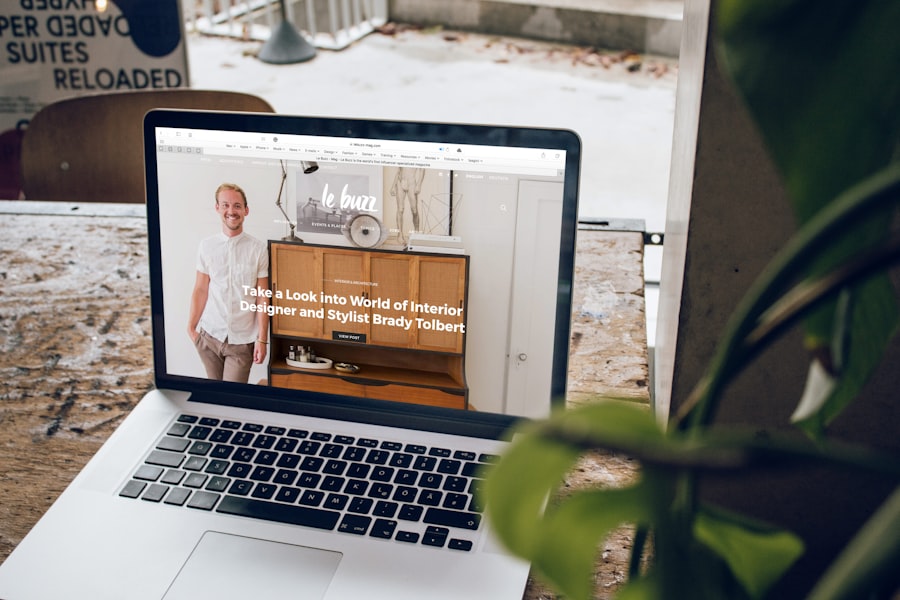
Great design makes your content shine, but without valuable content, even the most beautiful website will fall flat. Your visitors are looking for solutions, information, entertainment, or to complete a transaction. Your content needs to meet those needs effectively and be presented in a way that’s easy to digest.
Content Strategy Aligned with User Needs
Remember those user personas and their pain points? Your content strategy should directly address them.
- Solve a problem. Every piece of content should aim to answer a question, solve a problem, or provide valuable insight for your target audience.
- Educate, inform, or entertain. Depending on your goals, your content can be educational (how-to guides), informative (industry news), or entertaining (blog posts with a unique perspective).
- Use a variety of formats. Don’t just stick to text. Consider blog posts, articles, videos, infographics, podcasts, webinars, and interactive tools.
Clear Call to Actions (CTAs)
What is it you want your visitor to do after they’ve consumed your content or explored your site? You need to tell them.
- Be specific and action-oriented. Instead of “Click Here,” use “Download Your Free Guide,” “Sign Up for Our Newsletter,” “Request a Quote,” or “Shop Now.”
- Make them visible. CTAs should stand out using contrasting colors, generous padding, and clear placement, often near the end of a section or article, or as dedicated buttons in prominent positions.
- Only use one primary CTA per page (or section). Bombarding users with too many options can lead to paralysis. Focus them on the most important next step.
- Create urgency or offer value. Phrases like “Limited Time Offer” or “Get Your Discount Today” can encourage action.
Search Engine Optimization (SEO) Basics
While not strictly a design element, how your content is structured and presented has a massive impact on its discoverability.
- Keyword Research. Understand the terms your target audience is using to search for information related to your products or services.
- On-Page Optimization. Naturally incorporate relevant keywords into your headings, body text, and image alt tags. Don’t keyword stuff; write for humans first.
- Meta Descriptions and Titles. Craft compelling meta descriptions and page titles that accurately summarize your page content and encourage clicks from search results.
- Internal Linking. Link to other relevant pages on your own website. This helps distribute “link juice” and keeps users engaged.
When exploring the intricacies of website design, it’s essential to consider the latest trends and best practices that can enhance user experience. For a deeper understanding of this topic, you might find the article on responsive design particularly insightful. It discusses how adapting your website to various devices can significantly improve accessibility and engagement. To read more about it, check out this informative piece on technology.
5. Performance and Accessibility: The Unsung Heroes
| Metrics | Data |
|---|---|
| Page Load Time | 3.2 seconds |
| Mobile Responsiveness | Yes |
| SEO Score | 85 |
| Conversion Rate | 4% |
A website that looks great and has fantastic content is useless if it’s slow to load, riddled with errors, or inaccessible to a significant portion of your audience. These aspects are crucial for both user satisfaction and for your website’s long-term viability.
Website Speed and Performance Optimization
Slow websites are a killer for user engagement and SEO. People have very little patience waiting for pages to load.
- Image Optimization. Large, unoptimized images are a common culprit for slow loading times. Use tools to compress images without sacrificing too much quality, and choose appropriate file formats (e.g., WebP for modern browsers).
- Browser Caching. This allows returning visitors to load your site faster by storing parts of your website on their computer.
- Minify CSS and JavaScript. Removing unnecessary characters from your code files can significantly reduce their size.
- Content Delivery Network (CDN). For a global audience, a CDN can host copies of your website on servers around the world, delivering content from the server closest to the user.
- Regular Performance Testing. Use tools like Google PageSpeed Insights or GTmetrix to identify bottlenecks and track improvements.
Accessibility (A11y) for Everyone
Designing for accessibility means making your website usable by people with disabilities. This is not only ethical but also often improves the experience for all users and is increasingly a legal requirement.
- Alt Text for Images. Provide descriptive alt text for all images. This allows screen readers to describe the image to visually impaired users.
- Keyboard Navigation. Can users navigate your entire website using only their keyboard (e.g., the Tab key)? This is essential for users who cannot use a mouse.
- Color Contrast. Ensure sufficient contrast between text and background colors so that content is easily readable by people with visual impairments.
- Clear Form Labels. Make sure all form fields have clear, descriptive labels.
- Descriptive Link Text. Avoid vague link text like “Click Here.” Instead, use text that describes where the link will take the user.
Regular Maintenance and Updates
A website is not a set-it-and-forget-it project. It requires ongoing care to remain effective and secure.
- Software Updates. Keep your website’s platform (like WordPress), themes, and plugins up to date to patch security vulnerabilities and benefit from new features.
- Broken Link Checks. Regularly scan for broken links (internal and external) and fix them promptly.
- Content Audits. Periodically review your content to ensure it’s still relevant, accurate, and valuable. Update or remove outdated information.
- Security Measures. Implement regular backups, consider security plugins, and be mindful of secure coding practices.
By focusing on these five essential areas – understanding your audience, prioritizing UX, building trust, delivering valuable content, and ensuring performance and accessibility – you’ll be well on your way to creating a website that not only looks good but also achieves your goals and serves your visitors effectively. It’s an ongoing journey, but one that’s definitely worth the effort.